| Procedures for Submission of Application | ||||
| Phase 1: |
To
register as an applicant, a candidate has to provide his/her
primary credentials viz. Name, Father's Name, Date of Birth,
Mobile No. and Email ID. After submission of these information the
system will generate a Registration Code which will be
displayed on the same page prominently. Though the system is
designed to send e-mail immediately acknowledging the Registration
Code and corresponding Date of Birth, sometimes due to network
congestion the e-mail may not be delivered, hence candidates are
requested to note down the Registration Code carefully. |
|||
| Phase 2: |
In this Phase, a candidate who has created his/her Registration Code in Phase 1, will have to provide his/her profile details, viz. gender, category, address, qualification, experience and other candidature specific information and has to save the data by clicking the button. On successful updation of data, a message will appear at the top of the screen. If this message not appears despite clicking Update Data button, please check for any invalid characters [e.g. /, - etc.] in some of the filled up fields. Please replace those characters with blank space and again try to save the data. Next for uploading images e.g. Passport, Signatures and additional certificate images click the
button. |
|||
| Phase 3: |
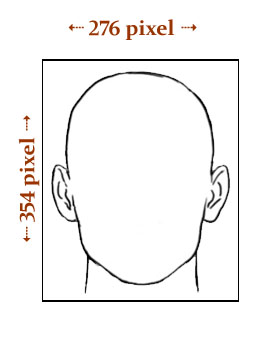
Here, the applicant can upload his/her Photograph Image and Signature Image. The image format should be either .jpg, .png or .gif. No other image format will be accepted. The image size should be between 5 KB and 30 KB. The dimension of the Photograph image and Signature image should be as indicated below:
The image of the Passport Photograph should be such
that the face of the candidate covers at least 80% of the
space of the photograph image, similarly the signature should
cover at least 70% of space of the Signature image.
To
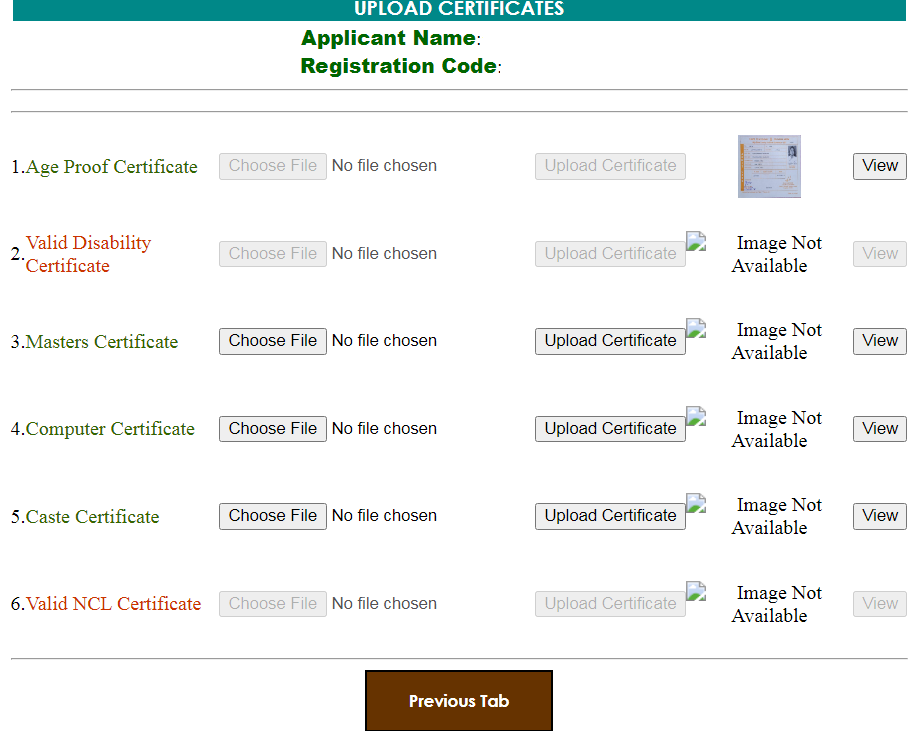
upload additional certificate documents, please visit the link
button In this form those documents with Green label are to be uploaded. Every single document size should be between 5 kb to 60 kb only.
The form maintain three buttons for each document. Choose file for choosing the corresponding image file from local machine, Upload Certificate button for uploading the image. On successful uploading of the document a small image icon will appear next to Upload Certificate button. A larger image View is visible on clicking View button. |
|||
|
The fresh registration process for candidature will
be closed on the last date of registration.
1) All
details information in Phase 2 be filled up and in case of non
availability of data s/he should fill as per instruction provided.
No field box should left blank.
Only after these verification,
the Candidate should proceed for submission of the Candidature
application. Initially the
Submit Candidature button will be displayed in faded color and deactivated. On
clicking the Declaration check box on the page, the
button
Submit Candidature
will be in green color and activated for
submission of candidature. No more modification
will be possible after submission of Candidature. |
||||
| Phase 4: |
After
submission of candidature the candidate should take a print out of the Fee Payment Challan by
clicking the
Print Fee Payment Challan Form
button. The
candidates can pay the fee amount after two working days from the
date of submission and on
or before the last date fixed for payment of fees. The payment can be made at any Branch of State Bank of India. The mode of
payment is Cash only. |
|||
|
For any query/complaint etc. please email to reg-ghc@nic.in, mentioning the Post Name in the Subject line and related Registration Code, Applicant Name, Father's Name along with the grievance in the body of the e-mail. |
||||
| System Settings for Smooth functioning of Application Steps. | ||||
| Please ensure that the system/Computer used to Apply for this examination is Javascript Enabled. | ||||
| Published & hosted by the Gauhati High Court, Guwahati. | ||||